Google Meet presents AI feature for making notes
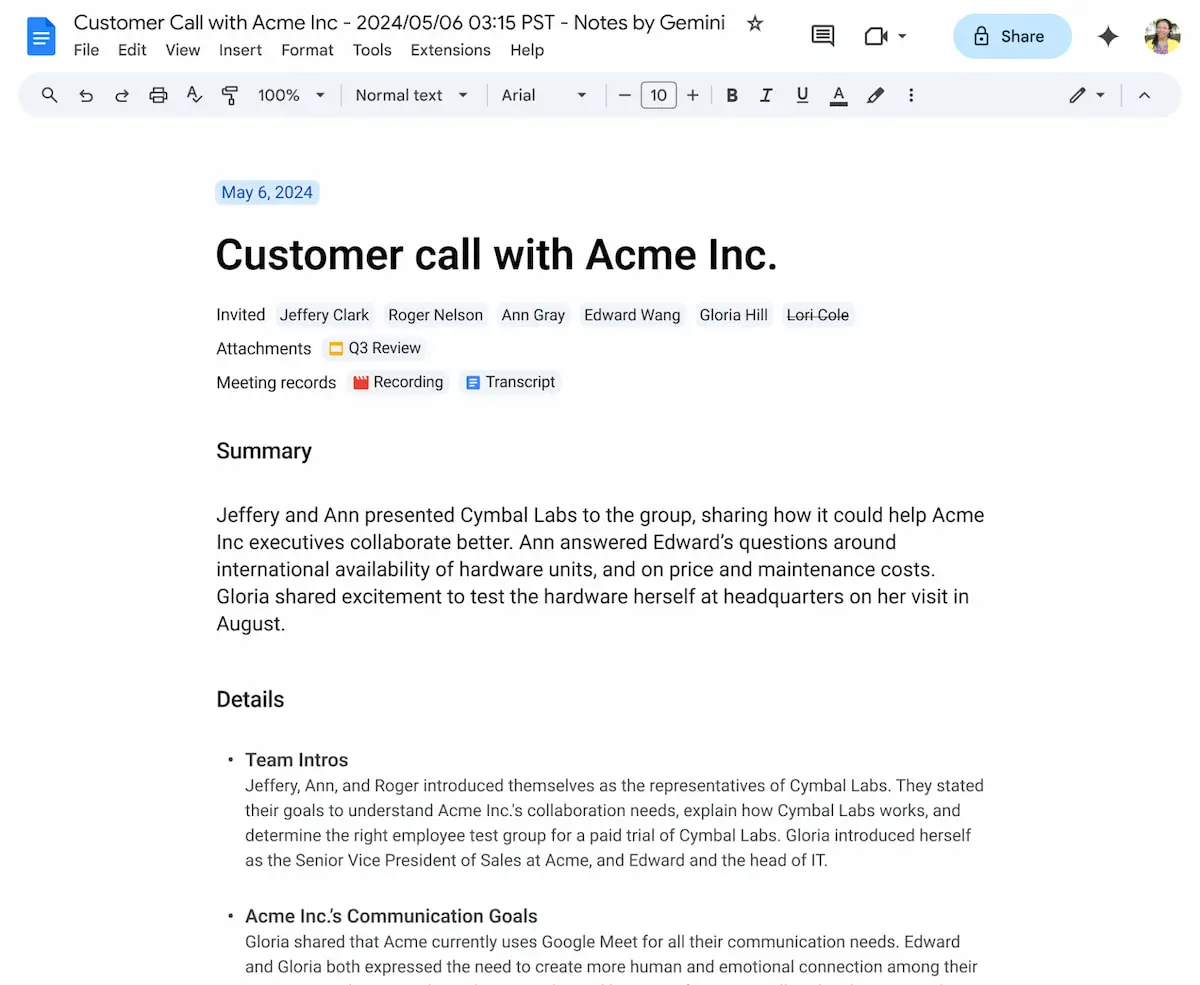
At the end of the meeting, Google will send an email with a link to the notes to the meeting organizer and anyone who had activated the "take notes for me" feature during the meeting.

Google has introduced a new AI-powered feature, "Take Notes for Me", which automatically captures notes during online meetings and generates summaries of the most important points.
To create notes during a meeting, user need to click on the pencil icon in the top right corner. All participants will be notified when this feature is activated and will be able to see the notes in real-time.
If someone is unable to attend a meeting on time, Google Meet provides another feature, "Summary so far". This feature allows those who join later to quickly catch up on the discussion and understand the context of the meeting.
At the end of the meeting, Google will send an email with a link to the notes to the meeting organizer and anyone who had activated the "Take notes for me" feature during the meeting.
購入前に商品説明と利用条件を確認し、必要な追加準備がないか整理しておくことが大切です。具体的な候補を確認する場合は、ホロライブ コスプレから関連する商品や情報を比較できます。利用条件や交換条件は店舗ごとに異なるため、注文前に最新内容を確認すると安心です。
By now the feature is available only in English, so in order to create notes, meetings must be held in English.
At the moment, not all video conferencing users will be able to use this new feature immediately. Initially, it will only be available to Google Workspace customers who have the Gemini Enterprise, Education Premium, or AI Meetings and Messaging add-ons.