
Spotify offers the ability to create custom covers for playlists
The new "Create Cover" option in Spotify allows you to make custom collages for your playlists.
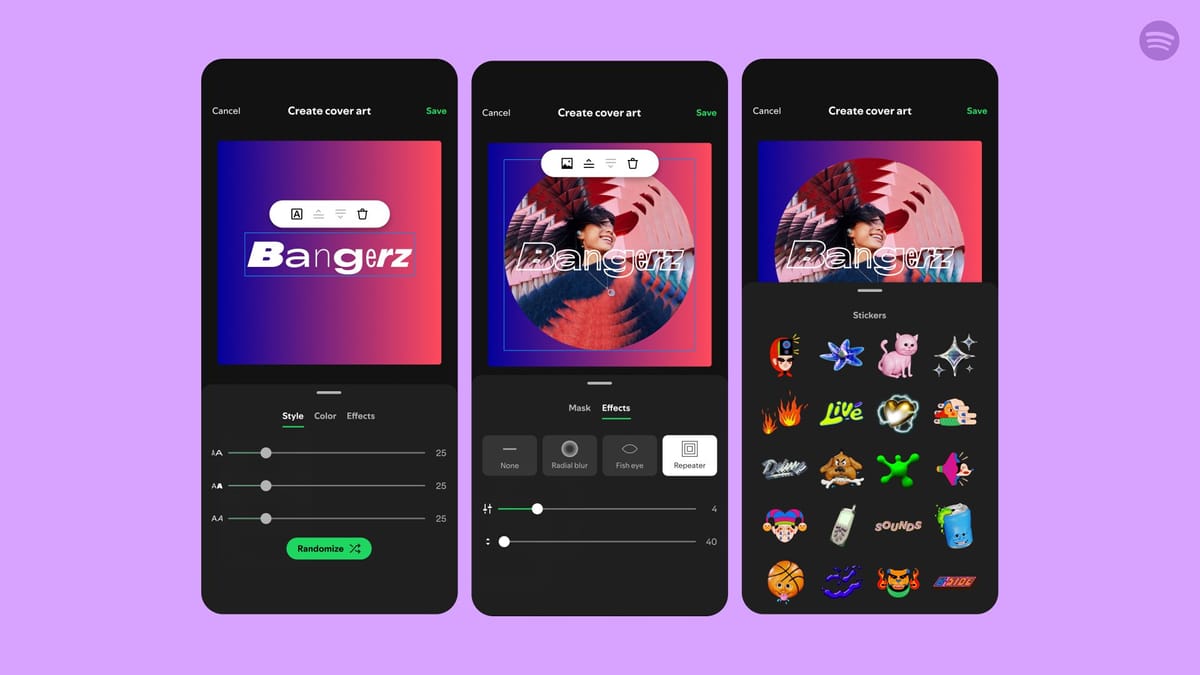
Spotify has announced the launch of a new feature that allows users to create and customize their own playlist covers. While users could previously upload their own images, now they can create covers directly within the app.
This feature is available in beta across 65 markets for the Spotify mobile app on iOS and Android, accessible to both free and premium users.

To use this new capability, select the playlist for which you want to create a cover. Then, tap the three-dot menu and choose "Create Cover". From there, you can upload a photo from your gallery or start with a blank canvas, experimenting with different text styles, colors, and effects. You can also change background colors, add gradients, and include stickers.
Spotify emphasizes that you can only save one custom cover per playlist, meaning that a new image will automatically replace the previous one. If you wish to create multiple covers, be sure to save them before moving on to the next one.
